
Creator@olivier
O
Rating—No ratings yet
CategorySurvivalPlayers2–4Solo · Online · Online partyController1Game controllerDesktop, Mobile landscape
About Pals vs Zombies
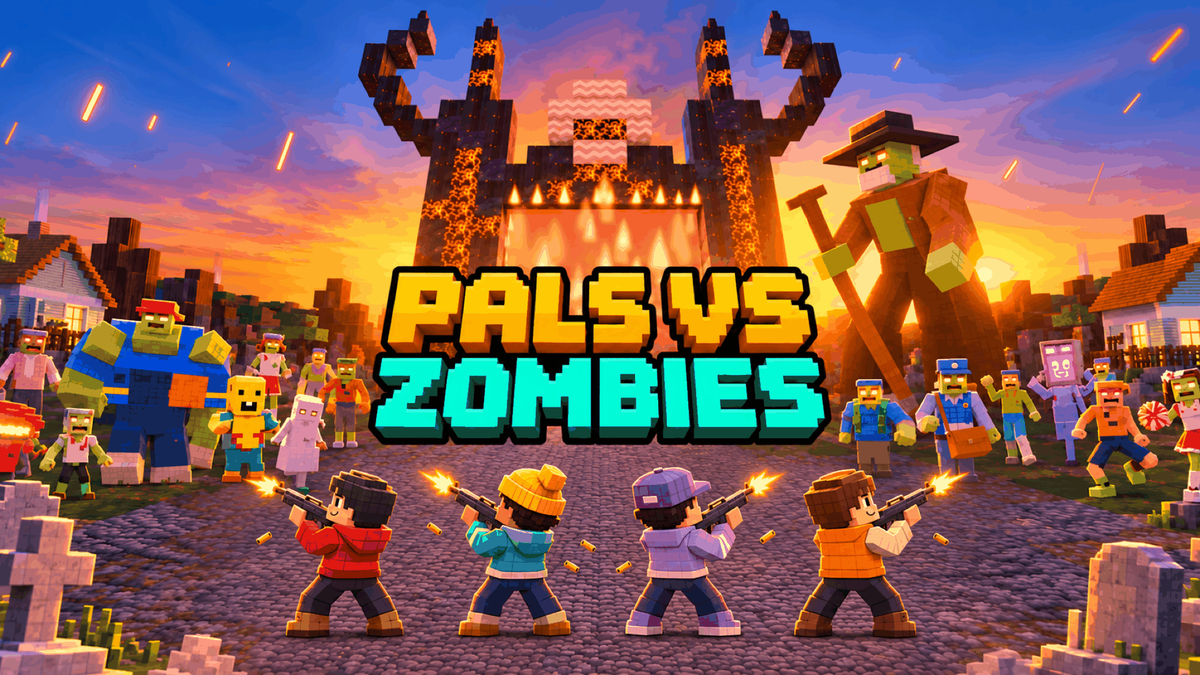
4-Player Co-op Zombie Shooter. Play free in your browser, no download. Grab three friends, hold the diner and fight six bosses out of a growing hell gate.
Everyone in with one link
- Press PARTY, drop the link in the group chat, and up to four of you are in the same fight. Nothing to install.
- Friends busy? Jump straight in: three pals fight at your side.
What a run is
- There is a button that says DO NOT PRESS. The caretaker pressed it. Now a hell gate stands in the cemetery, and it gets bigger every wave.
- A new wave every 1:15, and the dead keep changing: the riot cop, the mailman, the bloater who went back for thirds at the buffet.
- Loot better guns between waves, blow real holes in the town, pick your pals back up. When the whole squad is down, the run is over.
The Armory
- Thor's Hammer. Yes, that one. Smash with it, or throw it: lightning strikes from the sky where it lands.
- The Laser Gatling. It mows the street.
- The Jet Pack. Bad idea. Great view.
- The Holy Grenade. One throw, one clean street.
- Said plainly: these four are optional unlocks, 100 credits each. Unlock one and it can drop from boss chests and purple chests, for you and your whole party. The rest of the game is free.
Six bosses, one gate
- Old Mort the Gravedigger. The Thing Behind the Gate. Velvet Lou, the lounge singer. Mr. Tally, the accountant from hell. Fetch the Hellhound. And Old Scratch, the actual Devil.
- Kill the last boss standing and holy light wipes every zombie off the map.
Phone, gamepad, keyboard
- Keyboard and mouse, a gamepad, or touch in landscape with auto-fire.
- Your longest run goes on the PlayDrop leaderboard, and 20 achievements wait, from clearing the first wave to meeting Old Scratch himself.
Pals vs Zombies: quick answers
- Is it free? Yes. Only the four Armory items are optional unlocks.
- Can I play with friends? Yes, up to 4 players: press PARTY and send the link.
- Does it work on my phone? Yes, in landscape, with touch controls and auto-fire.
- Which browsers? Any browser with WebGPU: current Chrome, Edge and Safari, on desktop or phone.
- Do I need to download anything? No. It runs in a browser tab.
0 plays · Released October 28, 2026 · v0.5.7
How to play
Keyboard & mouse
- Move: WASD or arrow keys | Look: mouse (click to capture the pointer; drag to look if capture is blocked)
- Fire: left click | Aim down sights: right click (hold) | Zoom: pinch on a trackpad; while aiming, the mouse wheel steps the Longshot's scope
- Jump: Space | Sprint: Shift | Crouch, slide: C (toggle) or Left Ctrl (hold)
- Hotbar: 1 knife, 2-4 guns, mouse wheel to cycle, Q for the last weapon | Reload: R | Drop the gun in hand: Z
- Pick up, swap, open a chest: E or F | Hold E or F next to a downed pal to revive them
- Thor's Hammer: left click in mid-air slams down | Bombardier: aim at a spot with open sky above it
- Throwable (frag grenade, Motion Mine, Breach Charge, Holy Grenade): G (hold to aim the arc, release to throw; press again to set off a Breach Charge)
- Gear: X (Grappling Hook, Shield Bubble: tap; Jet Pack: hold, or hold Space in the air)
- Heal: H (tap for the best item, hold for the picker) | Use an item: 5 bandage, 6 medkit, 7 Small Shield, 8 Big Shield | Map: M | Scoreboard: Tab | Menu: Esc or P
Touch (landscape)
- Left half of the screen: move (the stick appears under your thumb; push it to the edge to sprint) | Right half: drag to look. Each thumb keeps its own half, and two fingers never zoom
- Auto-fire: rest the crosshair on an enemy and the gun fires by itself (the red fire button lights up). The red fire button bottom right shoots by hand too (drag from it to aim while shooting); a second one on the left can be switched on in Settings
- Round icon buttons on the right, each in its own fixed spot: jump (up arrow), crouch or slide, reload, aim (scope: tap to aim, tap again to stop) and heal (cross: tap for the best item, hold and drag to choose). The hand appears when an item or a chest is in reach, and next to a downed pal (hold it to revive)
- Gadget buttons show what you carry: a throwable (frag grenade, Motion Mine, Breach Charge or Holy Grenade: press, release to throw, drag away to cancel) and gear (Grappling Hook or Shield Bubble: tap)
- Jet Pack: hold jump (its ring shows the fuel left) | Thor's Hammer: in mid-air the fire button shows the hammer and slams down
- Item tray next to the hotbar (bandage, medkit, Small Shield, Big Shield): tap an item to use it, tap it again to cancel
- Hotbar: tap a tile to switch, hold a gun tile to drop it | Tap the minimap for the map, the top strip for the scoreboard | Menu: PlayDrop's pause button
Gamepad
- Left stick: move (click to sprint) | Right stick: look | RT: fire | LT: aim
- LB / RB: previous / next weapon (the knife included) | Y: back to the last weapon (in the Longshot's scope, the next zoom level)
- A: jump, confirm (hold in the air for the Jet Pack) | B: crouch or slide, back | X: pick up, open a chest or reload (hold it next to a downed pal to revive them)
- D-pad up: tap to use the best heal or shield, hold to open the item picker | D-pad left: throwable (hold to aim, release to throw) | D-pad right or R3 (right stick click): gear | D-pad down: hold to drop the gun in hand
- Item picker: point the D-pad or either stick at an item (up bandage, right medkit, down Small Shield, left Big Shield) and press A, or the same direction again, to use it; B closes it
- View: map or scoreboard | Start: PlayDrop's pause, which opens the menu
On mobile, touch controls support auto-fire. With a controller, press RT to shoot. On desktop, Settings includes auto-fire for mouse, trackpad and controller, button size and the sound visualizer.
Tags