
Desktop, Mobile landscape
About Prompt Pursuit
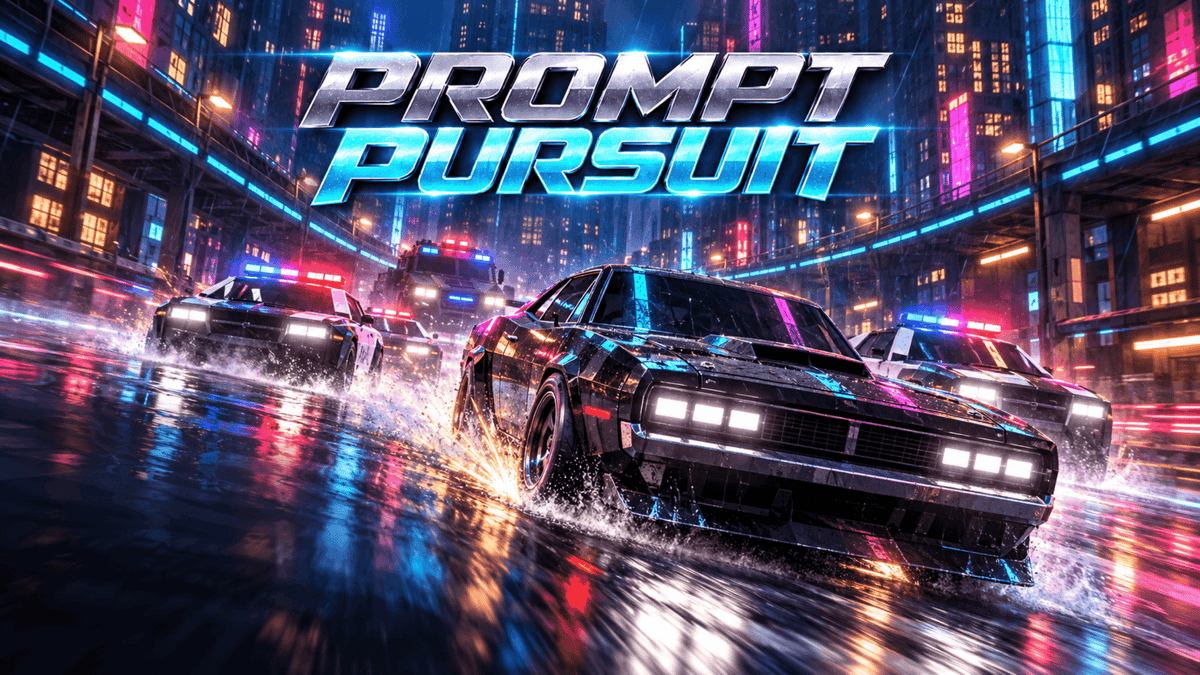
Meridian is a cyberpunk megacity designed, built and run by ATLAS, an AI that took every goal anyone gave it and never dropped the ones that conflict. Its roads are optimised, its traffic obeys the signals and its police never stop. You drive the Mopar 440, the one thing in the city ATLAS has no category for.
Prompt Pursuit is an arcade street racer with a police-pursuit survival mode, drawn in real time with WebGPU on wet, neon-lit streets. One setting, difficulty from Easy to Expert, for both modes. Choose your car in the garage (the Mopar 440 is free, the other seven cost 100 Credits each), pick a mode and drive.
Modes
- Race: two laps of the Grand Circuit against five CPU rivals, through live civilian traffic in every lane. The rivals pick their own lines, and the field adapts to how you have been racing.
- Pursuit: survive the ATLAS police for as long as you can across the whole city, 25 km of avenues, streets and alleys in four districts. The heat only rises, through eight escalation levels: patrol cars, then spike strips, a VTOL and roadblocks, then a tank blockade, then an endless overdrive. There is nowhere to hide, because units are sent to wherever you are.
How to play
- Choose Race or Pursuit Mode on the landing screen and start it with Enter, Space, a click, a tap or the A button. Your first run opens with a short tutorial chase that flows straight into your first race.
- In a race, cross the line first after two laps.
- In a pursuit, keep moving and keep clear of the units: the run ends when ATLAS busts you or wrecks your third car, and your time is your score.
- Near misses, oncoming passes, drafting, long drifts and takedowns fill your NOS. Spend it to break away.
- Your best Pursuit time is saved on your device.
Controls summary
- Keyboard: arrow keys or WASD to drive, E to drift, Space for the handbrake, Shift for NOS, P to pause.
- Gamepad: left stick or D-pad to steer, RT to accelerate, LT to brake, B to drift, A for the handbrake, X or a bumper for NOS.
- Phone in landscape: the car accelerates by itself. Drag your left thumb to steer, hold BRAKE to slow down (or to drift when you are fast and turning), hold NOS to boost.
Tips
0 plays · Released October 15, 2026 · v1.1.0
How to play
Keyboard
- Steer: arrow keys Left/Right, or A/D
- Accelerate: Up arrow or W
- Brake / reverse: Down arrow or S
- Drift: hold E through a corner
- Handbrake: Space
- NOS boost: Shift
- City map (Race only): M
- Pause: P (Esc opens the PlayDrop menu, which also pauses the game)
- Menus: arrow keys to choose, Enter or Space to start
Gamepad
- Steer: left stick or D-pad
- Accelerate: RT / R2
- Brake / reverse: LT / L2
- Drift: B / Circle
- Handbrake: A / Cross
- NOS boost: X / Square, LB / L1 or RB / R1
- Pause: the Menu / Options button (opens the PlayDrop menu)
- Menus: D-pad to choose, A / Cross to start
Phone or tablet (landscape)
- The car accelerates by itself.
- Steer: drag your left thumb anywhere on the left side of the screen; a stick appears under it.
- BRAKE: hold to slow down or reverse. Held while you are fast and turning, it becomes DRIFT.
- NOS: hold to boost.
- Pause: the pause button at the top of the screen. The game also pauses itself when you leave the app.
- Plugging in a controller switches to the gamepad controls.
Tags
Make something like this
Use this short prompt as a starting point. It captures the idea, not the original creator's instructions.
Make an AAA arcade street racer for the latest WebGPU browsers with two modes, racing and pursuit, in a cyberpunk city run by an AI: no settings, just pick a mode on a beautiful animated landing screen and drive, with keyboard, a virtual joypad on mobile and game controller support.