
Desktop, Mobile landscape
About VoxelCraft
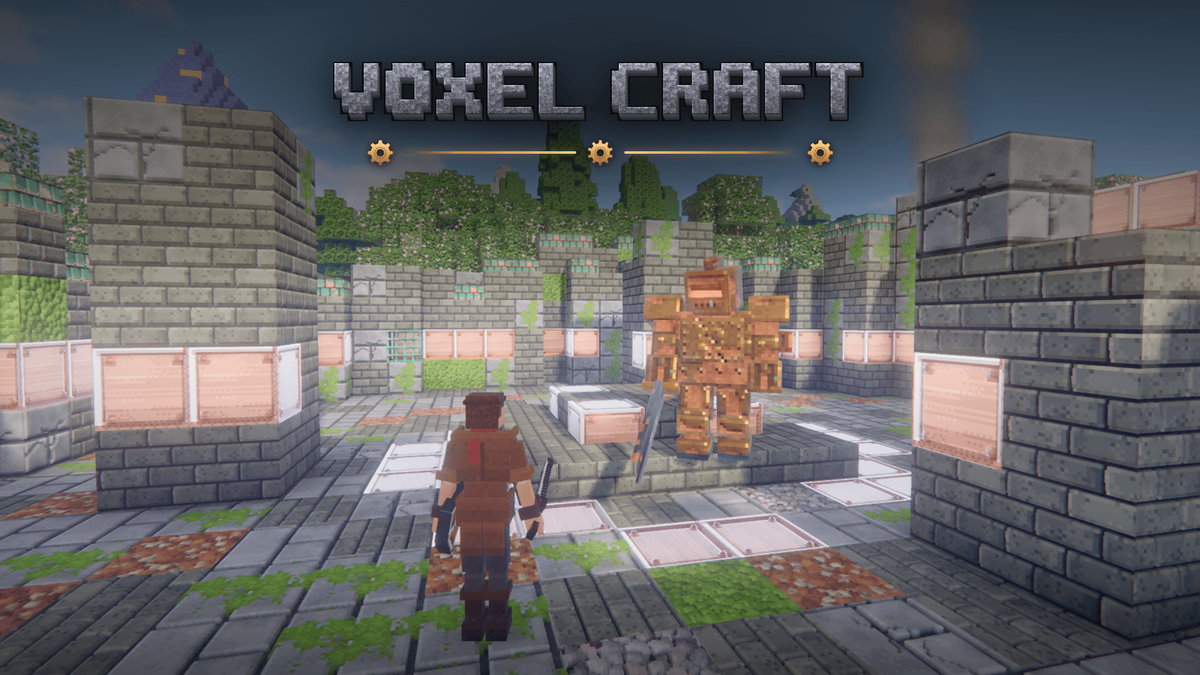
VoxelCraft is a 3D voxel survival sandbox with third-person action combat, played in your browser. Mine, craft and build, survive the night, explore a seeded world of 40 biomes and fight four bosses. You play as your own PlayDrop avatar in voxel style, or in one of four brass-and-steam outfits; F5 switches to first person.
Survive and build
- Punch trees, craft tools, smelt ore and work up from wood to stone, iron and diamond.
- Cook, farm and fish to stay fed; monsters come out at night and in the dark.
- Build with stairs, slabs, doors, glass, signs and 16 wool colours, or build freely in creative mode.
Lock-on combat
- Lock on to a foe, roll through its attacks, sidestep and backflip.
- Enemy wind-ups are colour-coded: orange = parry, blue = block, red = roll away.
- Combos, heavy attacks, bows, crossbows and tridents, with hit-stop on the big blows.
A living world
- Four seasons and weather, deep caves and geodes, oceans with shipwrecks, ruins and temples.
- Villagers who trade and ring the bell when raiders come, bandit outposts, and the trial spawners of the Proving Halls.
- Ride horses, row boats and follow the adventure journal and its map.
Four bosses
Near your spawn, the training yard of a ruined tinker waystation teaches lock-on, rolling, blocking and aiming; then the arena seals and the Rusted Sentinel wakes. Then come the Bone King in his catacomb, the Spider Queen in her nest and the Magma Titan in its caldera. Fall in a boss arena and you keep your items.
How to play
- Goal: survive, explore and build your way; the guided tutorial and the adventure journal suggest goals.
- First steps: punch a tree, craft a crafting table and a pickaxe, follow the smoke to the ruin, train in the yard, then find shelter before night.
- Keyboard and mouse: WASD move, mouse look, left click attack/mine, right click use/guard, Tab lock on, Left Alt roll, E inventory, J journal.
- a joystick with Attack, Guard, Roll and Lock-On buttons in landscape, or a standard gamepad.
0 plays · Released October 2, 2026 · v0.10.0
How to play
Keyboard & mouse
- Move: WASD · Look: mouse · Jump / swim up: Space · Sneak: Shift · Sprint: Ctrl or double-tap W
- Attack / mine: left click (hold with a sword or axe for a heavy attack) · Place / use: right click · Pick block: middle click
- Guard / parry: hold right click with a sword or shield; raise it just before a hit to parry
- Lock on / next target: Tab (hold to release, flick the mouse to switch) · Roll: Left Alt + a direction
- While locked on: Space + A or D = sidestep, Space + S = backflip
- Aim: hold right click with a bow, crossbow or throwable · Fire: release, or left click · Reload: R
- Inventory: E · Journal: J · Map: M · Drop: Q · Swap hands: F · Hotbar: 1–9 or wheel
- Camera: F5 (third / first person) · Swap shoulder: V · Pause: Esc
Touch
- Left joystick: move (push past the edge to sprint) · Drag on the right: look
- Tap the world to place or use (tap a monster to attack) · Hold on the world to mine
- With a weapon in hand or monsters near: Attack (hold to charge), Guard, Roll and Lock-On buttons. Lock-On: tap to lock on or switch, hold to release, or swipe sideways to switch
- With a bow or crossbow, Guard becomes the aim stick: drag to aim, lift to fire
- Buttons for jump, sneak, inventory, camera (eye), journal (book) and pause
Gamepad
- Left stick: move (push to the edge to sprint) · Right stick: look · A: jump · L3: sneak
- RT: attack / mine (hold to charge) · LT: use / place; hold to guard or aim · X: pick block, or reload while aiming
- R3: lock on (hold to release, flick the right stick to switch) · B: tap to roll, hold to sprint
- Y: inventory · LB / RB: hotbar (hold for the wheel) · D-pad up: camera (hold to swap shoulder) · D-pad right: swap hands · D-pad down: drop · View: journal · Start: pause
Riding: use a horse or a boat to get on; Shift, B or the dismount button gets off; hold jump to charge a horse's leap.
Tags