
Desktop, Mobile landscape
About First Light
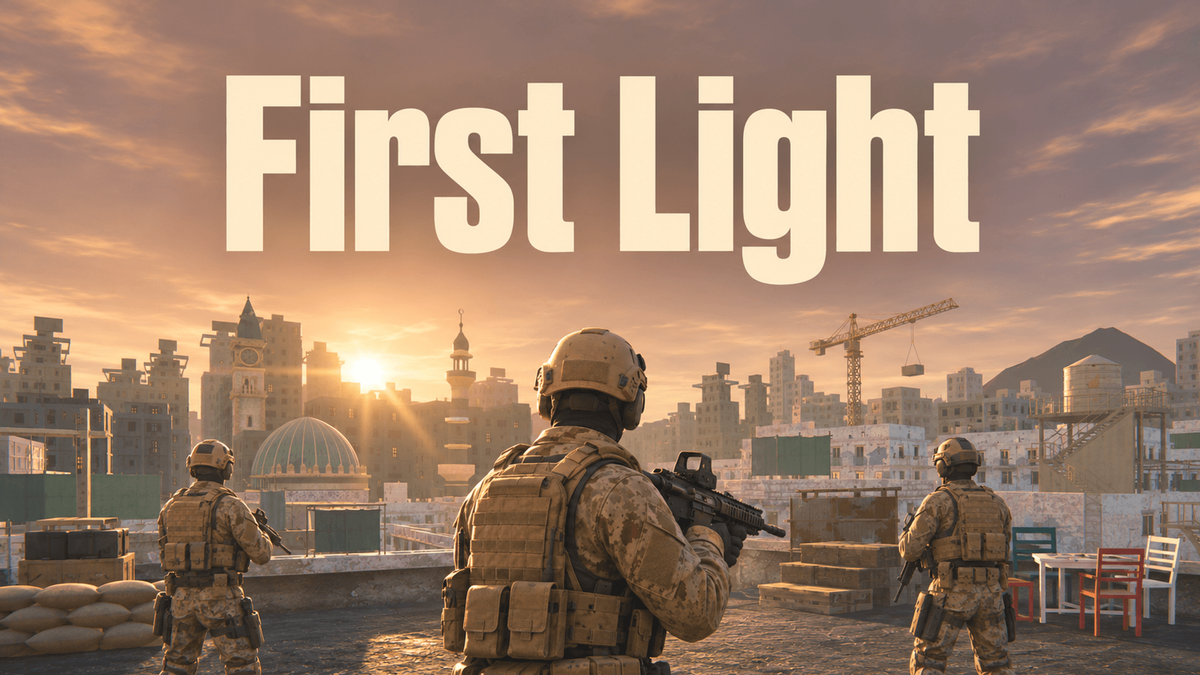
Al Safra, dawn. A stolen nuclear warhead changes hands at midnight. Find it first.
First Light is a casual first-person shooter with AAA, console-quality graphics, made for your phone as much as your desktop. You are Sabre Four. Twenty short missions take you through one dusty city in a single day: in through the gate at dawn, across the market and over the rooftops, into a night-vision raid and out on a helicopter at sunrise. About an hour, start to finish.
Why you'll love it
- Play it anywhere. Touch controls on your phone held sideways, or keyboard and mouse or a controller on desktop. Aim assist and auto-fire on touch keep it easy to pick up.
- Quick missions, one long day. Two to four minutes a mission, each picking up where the last one ended. Die, press once, and you are back in.
- A squad worth fighting for. Rook, Atlas and Mako move up with you, pin enemies down and call targets. The city takes them one by one, and by nightfall you are on your own.
- Every hit counts. Health barely comes back, and standing in the open gets you killed. Use cover, and grab field dressings from the ammo boxes.
- A city that breaks. Frags hurl chairs and tables across the room and bring shelves down, gunfire eats sandbag walls and rockets drop a guardhouse.
- Every tool of the trade. A carbine with a holo sight, a sidearm, a marksman rifle, a rocket launcher, frags you cook in your hand and a knife for silent takedowns.
- A new job every mission. Hold the market, run the rooftops, duel a sniper at the minaret, slip through a workshop with a knife, hit a convoy with rockets, then go lights out on night vision.
- Dust, storm and night. The wind builds into a desert storm from dawn to dusk, then night falls and the goggles come down.
- A score worth chasing. Every mission ends on a score card with par time, accuracy, headshots and three stars. Climb the Campaign Score and Fastest Campaign leaderboards and earn eight achievements.
How to play
Mission 1 teaches every move as you go. Rebind keys and buttons, and set aim assist, auto-fire on touch, subtitles, colour-blind markers and reduced motion in Settings.
Free to play in current Chrome, Edge or Safari. Playable in 20 languages; it follows your PlayDrop language.
0 plays · Released October 29, 2026 · v0.27.0
How to play
Keyboard and mouse
- Move WASD · Look mouse · Fire left click · Sights right click (Z toggles)
- Reload R · Sprint Shift (double-tap for a tactical sprint) · Jump / vault Space · Crouch / slide C
- Frag: hold G to cook, release to throw · Knife V · Interact / takedown F · Lean Q / E
- Weapons 1–6 or the mouse wheel · Carbine 3× zoom X · Fire mode B · Suppressor T
- Mission brief: hold Tab · Pause menu P
Controller
- Move left stick · Look right stick · Fire RT · Sights LT · Reload X · Jump A · Crouch B · Interact Y
- Sprint L3 (again while running for a tactical sprint) · Knife R3 · Frag: hold RB to cook, release to throw · Lean LB
- D-pad: right next weapon · left pistol · down fire mode · up suppressor
- View: tap for the pause menu, hold for the mission brief
- Buttons use Xbox names; a PlayStation controller shows its own symbols in the game.
Touch (phone held sideways)
- Left thumb: move stick (push to the rim to run) · Right thumb: drag to look
- FIRE, AIM, RELOAD, JUMP, LOW (crouch), USE (interact) and RUN
- FRAG: hold to cook, release to throw · Tap the weapon bar to switch weapons or swing the knife · Ⅱ pause menu
Esc and the controller's Menu button open PlayDrop's pause.
Tags