PlayDrop documentation: make, publish and grow games
Make games people want to play.
Guides for making games with PlayDrop Cloud or your own AI app, publishing them, and adding saves, leaderboards, multiplayer, parties, monetization and more.
Made on PlayDrop
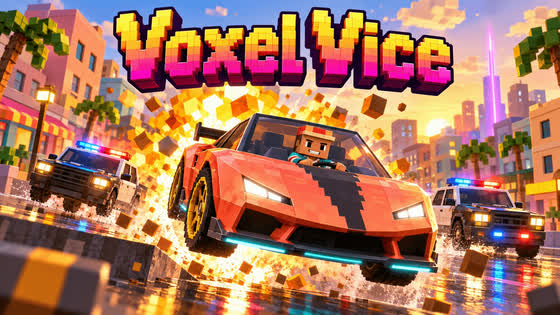
Voxel Vice@olivierPlay
playdrop.ai/@olivier/voxel_vicePhone or computer. Nothing to install.
Start here
 Make a game with PlayDrop CloudDescribe a game, play the first version and improve it in Studio.
 Publish from ChatGPT or ClaudeThe simple way, where you make a game in a chat and publish it from the same conversation.
 Build bigger games with Claude Code or CodexMore powerful, with an agent on your computer that builds games with many files, art and multiplayer.
 See what PlayDrop addsSaves, leaderboards, parties, servers, earnings and where each works.
Popular guides
- Your first gameDescribe your game, play the first version, improve it in Studio and publish it. Use PlayDrop Connector when you already create with another AI agent.
- Share a ChatGPT gameChatGPT can build a game in the chat. Publish it on PlayDrop from the same conversation and send friends a link that plays on any phone or computer.
- Share a Claude gameClaude can build a game in the chat. Publish it on PlayDrop from the same conversation and send friends a link that plays on any phone or computer.
- LeaderboardsDeclare leaderboards in catalogue.json, submit scores with sdk.leaderboards and show top ranks and the player's neighbors. Score types, limits and update rules.
- Online parties and voiceLet friends play together online: declare party sizes, open PlayDrop's party window, join reserved rooms with sdk.multiplayer.join and control room voice.
- MonetizationAsk for reviews with requestReview, receive tips, sell items with sdk.shop, show interstitial and rewarded ads, and see what share of each the creator earns.
Real games made this way
- Voxel Vice@olivier
 Prompt Pursuit@olivier
- Pals vs Zombies@olivier
 Hollow Havoc@mnouz
 Stellar Leap@mnouz
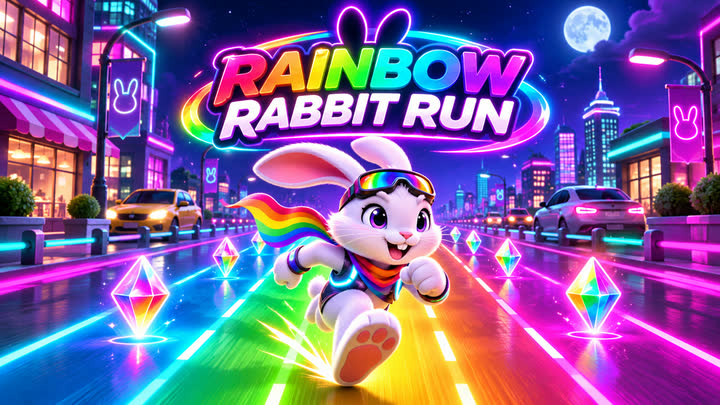
- Rainbow Rabbit Run@newagekid52
Feature library
Start here
4
- Your first gameDescribe your game, play the first version, improve it in Studio and publish it. Use PlayDrop Connector when you already create with another AI agent.
- PlayDrop gamesWhat a PlayDrop game can do with the SDK, catalogue.json and hosting, where each feature works, and its guide: saves, leaderboards, parties, servers and more.
- AI game makers comparedWhat PlayDrop, Rosebud, GDevelop, Astrocade and Instaplay give you for free, how you share a game and where it plays. Checked November 2026.
- FAQHow to make AI games with PlayDrop Cloud, publish through PlayDrop Connector, use credits and localize your game listing.
Create with Cloud
2
Connect your AI app
13
- All connectorsConnect Claude, ChatGPT, Codex, Cursor, Gemini or any MCP app to PlayDrop and ask it to make and publish a game, with a link for phones, computers and the apps.
- ClaudeConnect PlayDrop to Claude in two steps, then ask Claude to make a game and publish it. You get a link anyone can play.
- ChatGPTInstall PlayDrop from the ChatGPT plugin directory, then ask ChatGPT to make and publish a game with a link anyone can play.
- Claude CodeInstall the PlayDrop plugin in Claude Code, sign in with /mcp, then publish your game with /playdrop:publish and get its link.
- CodexAdd the PlayDrop plugin to Codex, sign in, then ask Codex to publish your game. You get a link anyone can play.
- CursorAdd PlayDrop to Cursor as an MCP server, sign in, then ask Cursor’s agent to make a game and publish it. You get a link anyone can play.
- GeminiAdd PlayDrop to Gemini as a custom app on the web, then ask Gemini to make a game and publish it, on the web or on your phone.
- AntigravityInstall the PlayDrop plugin in Antigravity, sign in, then ask the agent to publish your game. You get a link anyone can play.
- Grok BuildInstall the PlayDrop plugin in Grok Build, sign in, then ask it to make a game and publish it. You get a link anyone can play.
- Grok BotAdd PlayDrop to Grok Bot through your Cursor dashboard, sign in, then ask Grok Bot to make a game and publish it.
- Grok ChatAdd PlayDrop to Grok chat as a custom connector, then ask Grok to make a game and publish it. You get a link anyone can play.
- LovableAdd PlayDrop to Lovable as an MCP server, then ask Lovable to export your game as one HTML file and publish it on PlayDrop.
- ReplitConnect PlayDrop to Replit in one click, then ask Replit’s agent to publish your game, or keep hosting it on Replit and add its web address.
Publish and share
13
- Publish from your AI appHow AI agents publish to PlayDrop through MCP: the simple and package paths, private testing, publish_game_version, updates, limits and recovery.
- Share a ChatGPT gameChatGPT can build a game in the chat. Publish it on PlayDrop from the same conversation and send friends a link that plays on any phone or computer.
- Share a Claude gameClaude can build a game in the chat. Publish it on PlayDrop from the same conversation and send friends a link that plays on any phone or computer.
- Publish a browser gameFree places to put an HTML5 or AI-made game online: PlayDrop, itch.io, GitHub Pages, Netlify and game portals, what each asks of you, and how to get a link that plays on a phone.
- Simple HTML gamesPublish one self-contained HTML file up to 10 MiB with upload_game: what fits, the mini catalogue, visibility, updates and when to switch to a package.
- Packaging and .playLay out a built game folder, ZIP or .play with catalogue.json at its root, declare listing media and servers, and upload it with prepare_catalogue_upload.
- Publish & importPublish and share a PlayDrop Cloud game, or bring an existing web game through browser upload and external URL registration.
- Game filesThe game files Offline Games and PlayDrop accept: one HTML file, a static folder or .zip, or a .play package.
- Visibility and reachChoose who can open a PlayDrop game, how the account default and version publishing work, and how Boost, PlayTrade, Instant and search bring new players.
- Listing art and videoThe listing images and videos a PlayDrop game can have, their paths, formats and orientations, and how to make art that works in feeds, search and previews.
- Genres and tagsThe required genre, optional subgenre, play mode, theme and mood tags a PlayDrop game can use, and how they place a game in browsing and search.
- LocalizationRead the player's language with sdk.host.language, choose which of PlayDrop's 20 languages to support, and translate the listing and its art.
- Instant gamesWhat makes a PlayDrop game Instant: portrait play, guest access, at most 10 MiB of startup files and a two-second start, and how it differs from regular games.
Game experience
4
- Loading, pause and audioInitialize the PlayDrop SDK, signal ready at the first playable frame, pause and resume cleanly, follow the audio policy, and preload files for offline play.
- Full screen and safe areasMake a PlayDrop game fill the screen, keep its HUD inside CSS safe areas and clear of the host's controls using the SDK's measured reservedCorners.
- Cloud savesSave and load player progress with sdk.me.appData and updateAppData, for guests and signed-in players, with the rules for writes, previews and offline play.
- Local parties and controllersRead physical gamepads and PlayDrop phone controllers through sdk.device, follow local player slots, declare controller support and local party sizes.
Play together
5
- Sharing, friends and invitesShare a game with an image or clip, read launch payloads, pick friends, send invite and challenge cards in PlayDrop Chat, and recommend other games.
- LeaderboardsDeclare leaderboards in catalogue.json, submit scores with sdk.leaderboards and show top ranks and the player's neighbors. Score types, limits and update rules.
- AchievementsDeclare standard and incremental achievements with icons in catalogue.json, unlock them and report progress with sdk.achievements.
- Online parties and voiceLet friends play together online: declare party sizes, open PlayDrop's party window, join reserved rooms with sdk.multiplayer.join and control room voice.
- Realtime game serversRun a hosted Colyseus 0.17 server with a MongoDB database for your game, connect from the browser with the SDK, test with two players and know the limits.
Earn
2
- MonetizationAsk for reviews with requestReview, receive tips, sell items with sdk.shop, show interstitial and rewarded ads, and see what share of each the creator earns.
- Credits & rewardsClaim daily credits and quest rewards, unlock temporary plans, and understand creator earnings. Check the amounts and conditions shown for your account.
Assets
3
- Game assetsShip images, sound, video and 3D with a PlayDrop game: bundled files, game-owned assets, public assets and packs, and runtime lookup with sdk.assets.
- AI asset generationGenerate images, music, sound, speech, video and 3D for a game in PlayDrop, from the browser with player confirmation or from a server paid by the creator.
- Custom formats and player creationsDefine your own asset format with an asset spec, declare the formats a game reads or writes, and let players save and publish creations with sdk.assets.custom.
Reference
5
- Client SDKReference for the PlayDrop browser SDK: host lifecycle, identity and saves, controllers, social, multiplayer, shop, ads, leaderboards, assets and AI.
- Server SDKReference for PlayDrop-hosted game servers: runtime rules, the verified PlayDropPlayer, and the social, shop, ai and multiplayer server APIs.
- catalogue.jsonThe catalogue.json fields PlayDrop games use: identity, listing, play modes, surfaces, sign-in, Instant, preloading, media, translations, scores and servers.
- Errors and recoveryThe error shape PlayDrop's MCP tools return, when to retry with the same requestId, and the fix for each common error code.
- TroubleshootingResolve blocked creation tasks, unclear prompts, missing rewards or earnings, credit limits, and web-game import problems.