Start here
How to make a game for free without coding
Make a game without coding: pick a type, describe it in a sentence or two and PlayDrop AI builds it. Free to start, no download. Share it with one link.
Create a game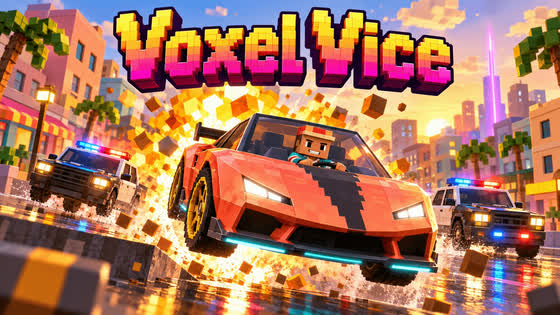 Voxel Vice@olivier
Pick the kind of game you want to make
Start with a kind of game you like to play. Popular choices are open world, platformer, soccer, racing, horror and quiz games. Each page has three short ideas to start from. Or see all game types.
Describe your game in one or two sentences
Type your idea in the prompt box. You write no code and download nothing. Name the kind of game, the place, the controls and the goal. Keep it small: one level is enough for a first version.
Make a 2D platformer in a floating garden. I move with the arrow keys, jump with Space and reach the gate at the end of one level.When a build finishes, the game is usually published at once with your account's Auto publish setting, which starts as Public; some builds wait for you to press Publish. To test it alone first, sign in and set Auto publish to Private in Studio before you send your first prompt. You can change who can play at any time.
Sign in when asked, and PlayDrop AI builds a game that plays in your browser. Each build or change uses credits: you claim free credits every day, Studio shows what each one costs, and a free account gets 10 changes per game.
Play it, then ask for one change at a time
Play the first version to the end. Then ask for one change at a time in the chat, so you see what each one does. For example, send these one by one:
Add a beetle that walks along each platform.
Add touch buttons so I can play on a phone.
Add a leaderboard for the fastest time.
Play again after each change. If something is wrong, describe what you saw and ask for a fix.
Add what brings players back
Give players a reason to come back: a score to beat, progress to keep or friends to play with. Ask for any of these in a prompt:
- A leaderboard for the best score or the best time.
- Saved progress that follows each signed-in player between the website and the PlayDrop apps.
- Play with friends: two to four signed-in friends join the same match, each on their own device. For party voice, the host turns it on and each player's app must support it; allow the microphone to speak.
Publish your game and share one link
PlayDrop hosts your game on its own page, with one link that stays the same through every update. You choose who can play:
- Private: only you, for testing.
- Unlisted: anyone who has the link.
- Public: everyone. The game can appear on PlayDrop's Home, genre pages and search, and in search engines.
Send friends the link to an Unlisted or Public game. It opens in a browser on a phone or a computer, with nothing to install, and in the PlayDrop apps for iOS, Android, Windows and macOS. See publishing and who can play.
What it costs to make a game
PlayDrop is free to use: the account is free, hosting is free (a free account holds 10 games and 1 GB) and players play free. Making games with PlayDrop AI is free to start: you claim free credits every day and spend them on builds and changes. Each build or change uses credits, and Studio shows what each one costs. Paying is optional. Free credits differ between accounts and may not cover a build right away, and a free account gets 10 changes per game. Plans shows what a paid plan adds. A game you made in another AI app can be published through the PlayDrop Connector without PlayDrop credits.