 Illustration
Create a platformer game with AI
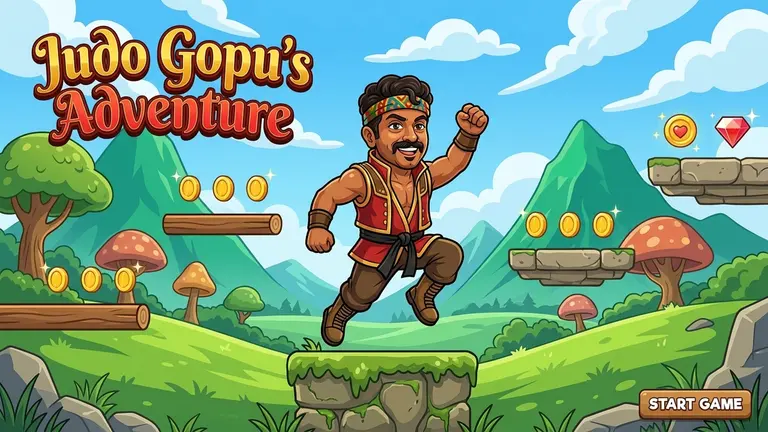
Turn a jump, a character and a world into your own platform game. Describe how it should feel, then build and refine it in PlayDrop Studio.
From idea to playable game
Define the jump
Describe movement speed, jump height and whether players can jump again in midair. Choose a simple control scheme for your first level.
Build one readable challenge
Ask for a short level with a clear start, a safe place to learn and a visible finish. Add hazards after the basic movement feels right.
Tune by playing
Test missed jumps, collisions and respawns in Studio. Ask for specific changes such as wider landing areas or a closer checkpoint before sharing the game.
Create a 2D platformer set in a moonlit greenhouse. Move with arrow keys or A/D and jump with Space. Include three short rooms, moving platforms, five glowing seeds to collect and a visible exit. Use crisp illustrated art, forgiving jump timing and a checkpoint in each room. Start with one polished level and a restart button.
Your questions, answered
Can I make a platformer without writing the game code myself?
Yes. Start by describing the character, controls and level in the prompt box. PlayDrop creates the game in the cloud; use Studio to play it and describe the changes you want.
How do I make jumps feel fair?
Ask for forgiving jump timing, clear edges and checkpoints near difficult sections. Play the same section several times and adjust speed, jump height and landing space separately.
How do I create and publish a game with PlayDrop?
Describe your idea in the prompt box. PlayDrop builds it in the cloud, and you continue in Studio to playtest and request changes. Auto publish is on by default, so review that setting and share the link to your published game.
What are the creation limits?
Creation and revisions use the allowance available on your account. Check your current plan and credits before starting a larger project. Begin with one playable scene, then expand after testing it.