Create a cooking game with AI
A cooking game is fun when simple actions like chopping, stirring and flipping have to happen in the right order while the next customer waits. Start with one dish, one kitchen and a few hungry customers, then add recipes once serving feels good.
- Free credits every day
- No code, nothing to install
- One link to share
Each build or change uses credits, and Studio shows what each one costs. A free account gets 10 changes per game. Paying is optional.
Start small, then keep asking
Start with a short prompt, play what you get, then ask for one change at a time.
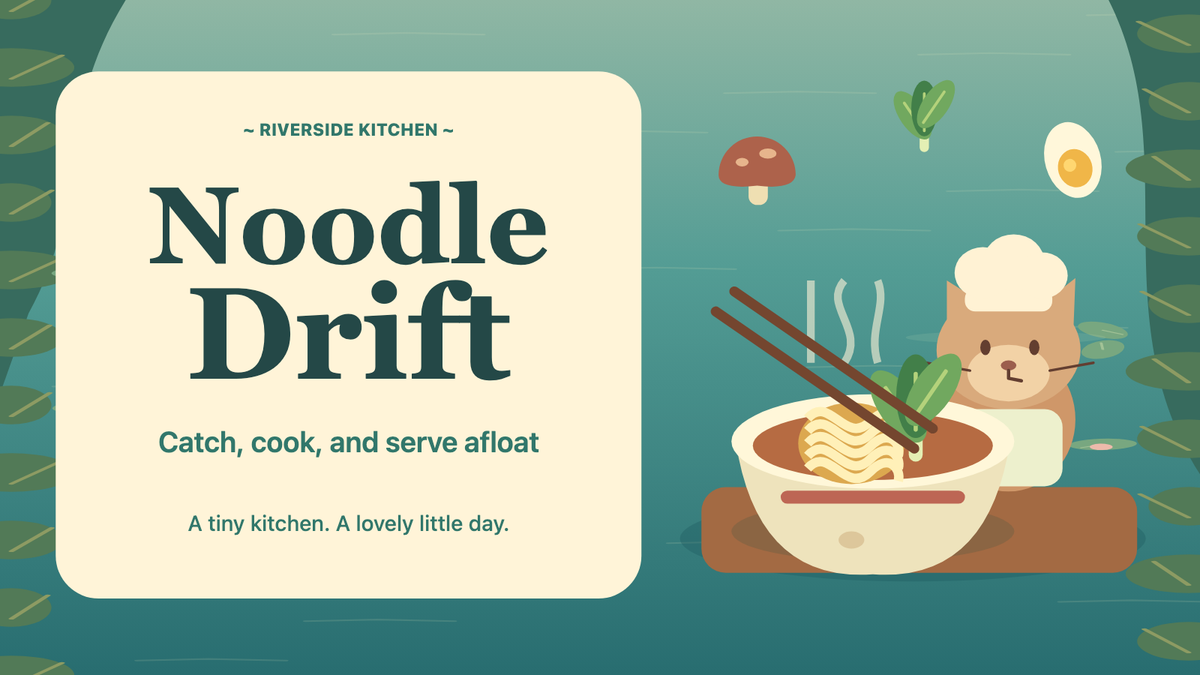
Make a cooking game at a noodle stall in a floating night market. I click to boil noodles and add each customer's toppings in the right order, and serve as many bowls as I can in a three-minute shift.
Use this prompt- Add a basket of dumplings that cook on their own while I work on the noodles.
- Add bubbling and sizzling sounds and a bell each time I serve a bowl.
- Add a leaderboard for the most bowls served in one shift.
Make a cooking game in a treehouse bakery where each recipe is a row of short minigames. I swipe to chop fruit, drag in circles to stir and tap to flip pancakes, earning up to three stars per step.
Use this prompt- Add a squirrel baker who shows me each new step once before I try it.
- Make every minigame work with touch and fit a phone held upright.
- Save my best stars for each recipe so I can come back and beat them.
Make a two-player cooking game in a submarine kitchen on one keyboard. One chef chops, one cooks, and we pass plates across a counter that slides when the boat turns, to serve 20 dishes together.
Use this prompt- Add a stove fire that one of us must put out before it spreads.
- Make the camera tilt with the boat and shake when a plate breaks.
- Let each chef play with a gamepad or a phone as a controller.
Why PlayDrop
What PlayDrop adds to your cooking game
Cooking is best shared and replayed, so ask for friends at the same counter, recipes that stay unlocked and shifts worth beating.
Co-op cooking on one screen
Ask for a local party and friends cook side by side on one computer or tablet screen, each with a gamepad or a phone as a controller.
Try thisLearn moreAdd a local party so friends share one kitchen, each with a gamepad or a phone as a controller.
A restaurant that keeps its progress
Ask for cloud saves and each signed-in player's recipes, stars and kitchen upgrades follow them between the website and the PlayDrop apps.
Try thisLearn moreSave my unlocked recipes, stars and kitchen upgrades so I can continue later.
Leaderboards for the best shift
Your game can rank players by the most dishes served in one shift, or by the fastest time to clear ten orders.
Try thisLearn moreAdd a leaderboard for the fastest time to clear ten orders.
Achievements for every recipe
The first dish served, a shift with nothing burnt, every recipe cooked: ask for achievements and players see them on PlayDrop.
Try thisLearn moreAdd achievements for my first dish, a shift with nothing burnt and every recipe cooked.
Saved progress that follows a player between devices, online parties and online multiplayer are for signed-in players. For party voice, the host turns it on and each player's app must support it; a player allows the microphone to speak. A game plays on the devices it supports: ask for touch controls to play it on phones. A Public game can be listed on PlayDrop and by search engines: a listing and players are not promised.
Everything PlayDrop adds to your game
AI writes the game. PlayDrop hosts it, can list it for players once it is Public, and can add saves, leaderboards and play with friends when you ask.
Free hosting, one link
PlayDrop hosts your game free on its own page, with one link that stays the same through every update.
Cross-platform play
Your game plays in a browser with nothing to install, on the devices it supports (phones, computers or both), and in the PlayDrop apps for iOS, Android, Windows and macOS.
Cloud saves
Ask for saved progress and PlayDrop keeps it for each signed-in player, so it follows them between the website and the PlayDrop apps.
Score and time leaderboards
Ask for a leaderboard and PlayDrop keeps each player's best score or best time and shows the top ranks.
Score challenges for friends
Ask for a score challenge and players can send a friend a card with their score to beat, once the game is Public.
Turns with a friend
Ask for a two-player turn-based game and each friend plays a turn when they have time, once the game is Public.
Live party with voice chat
Ask for an online party and 2 to 4 signed-in friends arrive in the same match, each on their own device. For party voice, the host turns it on and each player's app must support it; a player allows the microphone to speak.
Local party on one screen
Ask for a local party and friends play together on one computer or tablet screen, with gamepads or phones as controllers.
Achievements to earn
Ask for achievements and your game marks the goals players reach, each with an icon and a description on PlayDrop.
Finding players
A Public game can appear on PlayDrop's Home, genre pages and search, and in search engines. Being Public does not promise a listing or players.
PlayTrade: feedback from creators
On PlayTrade you play another creator's game and can review it. Qualifying plays earn return plays for your game, and players can leave a review.
Ratings, comments and tips
Players can like, comment on and review your game with a thumbs up or down. Tips come to you in full as credits; with Plus or Pro they are paid out, except tips from players you invited.
Ads and in-game purchases
Ask for in-game ads or purchases and your game can earn you credits; players pay for purchases with PlayDrop credits. Earnings are paid out when you have Plus or Pro.
Easy sharing, with video clips
Your link shows the game's art when shared, and you can ask for a button that shares a score, image or short clip.
Game server for multiplayer
Ask for online multiplayer and PlayDrop runs your game's server, with rooms of up to 8 signed-in players.
Stats for your game
See your game's plays, likes and comments, and read what players write about it.
PlayDrop is free. Making games with AI is free too.
The account is free, hosting is free (a free account holds 10 games and 1 GB) and players play free. Making games with PlayDrop AI is free too: you claim free credits every day and spend them on builds and changes.
Each build or change uses credits, and Studio shows what each one costs. A free account gets 10 changes per game. Paying is optional.
- Free account and free hosting
- Free credits to claim every day
- Free to play, nothing to install
Make your first playable version
Pick one dish and its steps
List the steps of one dish in order, like chop, cook and plate. Say how the player does each step, with a tap, a swipe or a key, and what a finished dish looks like.
Add customers who wait
Describe how customers order and how long each one waits, with a patience bar above them. Say what a served dish earns and what happens when a customer walks away.
Tune the rush
Play one full shift yourself. The first orders should be easy, new ones should arrive a little faster over time, and a burnt or wrong dish should be easy to spot.
Questions before you create
Should my cooking game have a timer?
It is up to you. A timer and customers who wait make a rush: fast, tense and fun with friends. Without one, cooking becomes calm and careful, like decorating a cake to match a picture. You can also have both, a relaxed practice kitchen and a timed shift. Say which one you want in your first prompt.
How many recipes should I start with?
One or two. Get one dish feeling good from the first step to the served plate, then add recipes that reuse its steps in a new order, like a burger that adds a grill step to a sandwich. Ask for one new recipe at a time, so you can play and tune it before the next.
Can friends cook together?
Yes, if you ask for it. For friends on one screen, ask for a local party: each cook uses a gamepad or a phone as a controller, and the shared screen is a computer or tablet, not a phone. For friends in different places, ask for a live online party: two to four signed-in players, each on their own device. Give each cook their own station, like the cutting board or the stove, so they have to pass food to each other.
Do I need to write code to start?
No. Describe your idea and PlayDrop builds a first playable version in Studio. Play it, then describe the next change you want.
Is it free to make a game on PlayDrop?
Yes. A PlayDrop account is free and so is hosting, and you claim free credits every day to make games with PlayDrop AI. Each build or change uses credits, and Studio shows what each one costs. Free credits may not cover a build right away, and a free account gets 10 changes per game. Paying is optional. You sign in before creating. Inserting an example only fills the prompt box; nothing starts until you send it.